DA PA Checker
Free plan allows checking maximum 2 domains per 24 hours.
DAPA Checker is an SEO analysis tool designed to help website owners, bloggers, digital marketers, and SEO professionals understand important website authority metrics. With features focused on Domain Authority (DA), Page Authority (PA), and Spam Score, a website authority checker can help users evaluate domains, compare webpages, and make more informed decisions during SEO research. Whether you manage a new blog, a business website, or an established online platform, understanding these metrics can support your website optimization strategy.
DAPA Checker also introduces a convenient checking experience for users who want to analyze website metrics without a complicated process. Users can enter a website URL, choose the relevant checking option, and review the available results. The free checking option offers up to 5 checks, allowing users to get started with basic website analysis. In addition, learning about external links, dofollow backlinks, nofollow attributes, and Spam Score can help website owners understand the broader factors involved in building a healthy online presence.
What Is DAPA Checker?
DAPA Checker is an SEO resource for reviewing website authority metrics and understanding important elements of website evaluation. DA, PA, and Spam Score are commonly used by SEO professionals to compare websites, investigate potential backlink opportunities, and research competitors.
Domain Authority estimates the relative ranking potential of an entire domain, while Page Authority focuses on an individual webpage. Spam Score provides a separate reference point for investigating potential spam related characteristics. These metrics are useful for research, but they should not be treated as official Google ranking scores.
With DAPA Checker, users can follow a straightforward workflow: enter a domain or webpage URL, select a checking option, and review the available metric. The actual results depend on the tool’s supported features and connected data sources.
Free DA, PA and Spam Score Checker
DAPA Checker is designed to make website metric checking accessible through a simple interface. Users can select the metric they want to review instead of navigating through a complicated SEO dashboard.
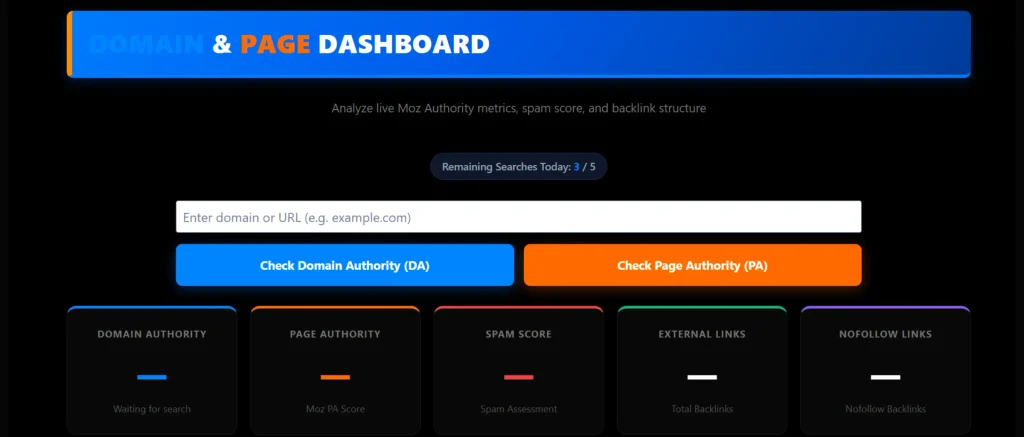
The checker includes three main analysis options: Check DA, Check PA, and Check Spam Score. Each option serves a different purpose, helping users understand domain level authority, page level authority, or potential spam related signals.
Check DA Button
The Check DA button is intended for checking Domain Authority. Users enter a domain name or website URL and select Check DA to request the available authority information.
DA is a metric developed by Moz that estimates a domain’s relative ability to rank in search engine results. Comparing DA scores across similar websites can help users conduct competitor research and understand differences in their backlink profiles.
A higher DA score does not guarantee better rankings. Content relevance, search intent, website quality, technical SEO, and competition also influence organic search performance.
Check PA Button
The Check PA button focuses on Page Authority, which estimates the relative ranking potential of an individual webpage. Unlike DA, which applies to an entire domain, PA helps users compare specific URLs.
For example, a website may have several articles with different backlink profiles and levels of authority. Checking PA can provide an additional reference when evaluating an important blog post, service page, or resource page.
Users should enter the specific webpage URL they want to analyze. The result should be interpreted alongside content quality, internal links, external backlinks, and the page’s relevance to its target search queries.
Check Spam Score Button
The Check Spam Score button is intended to help users review spam related website indicators where the relevant data is available. Spam Score, a Moz metric, estimates how closely a website’s characteristics resemble those of websites identified as spam.
A high score does not automatically mean that Google has penalized a website. It should instead encourage further investigation into the website’s content, backlink sources, and general quality.
Before rejecting a domain or removing backlinks, review the available evidence carefully. Spam Score is a reference metric rather than definitive proof of a website’s reputation.
DAPA Checker Free Checking Limit – 5 Checks
The free checking option provides up to 5 checks for users who want to try the website analysis features. This gives beginners, bloggers, and SEO professionals an opportunity to review available metrics and understand how the checker works.
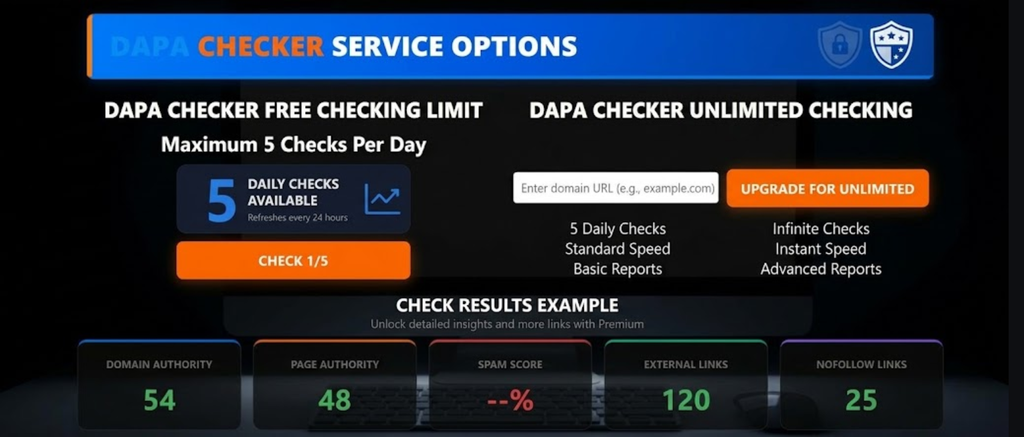
Users should enter their target website or webpage URL and choose the relevant checking option. Each check should follow the tool’s actual usage rules, including whether the limit applies to all metric types collectively or separately.
How to Use Your 5 Free Checks
- Open the DAPA Checker website.
- Enter the domain or webpage URL you want to analyze.
- Select Check DA to review Domain Authority.
- Select Check PA to review Page Authority.
- Select Check Spam Score to review spam related metrics.
- Keep track of the available free checks shown by the tool.
Because the free allowance is limited, prioritize websites that are relevant to your research. For example, you may want to compare your own domain with a competitor or investigate a potential backlink source.
The exact counting method, availability, and any additional usage conditions depend on the checker’s actual implementation. A displayed limit of five checks should correspond to the functionality configured on the website.
What Is Domain Authority (DA)?
Domain Authority, commonly known as DA, is a predictive SEO metric developed by Moz. It uses a scale from 1 to 100 to estimate a domain’s relative ranking potential compared with other websites.
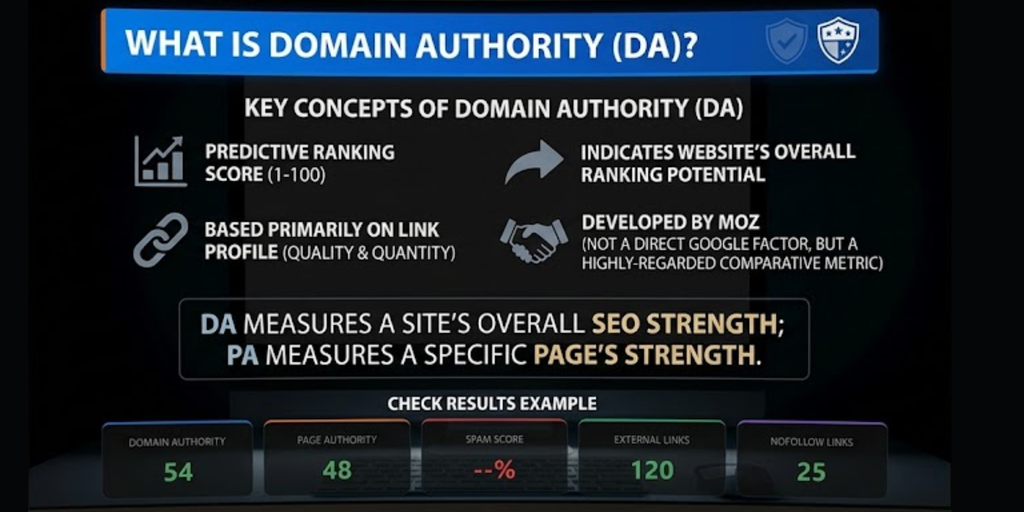
DA is widely used in SEO research because it provides a convenient way to compare domains. However, it is not a Google ranking factor, and a higher score does not automatically mean a website will appear above its competitors in search results.
Why Domain Authority Matters
DA can help website owners understand how their domain compares with similar websites. It is particularly useful during competitor research, backlink evaluation, and general SEO reporting.
For example, if two websites publish content about the same subject, comparing their DA scores may provide one additional point of reference. However, the comparison should also consider the relevance of their backlinks, the quality of their content, and the keywords they target.
How to Improve Domain Authority
There is no direct setting that guarantees an increase in DA. Since DA is a third party metric, its score depends on Moz’s data and scoring model.
To improve your website’s SEO foundations, focus on publishing useful content, earning relevant editorial backlinks, improving internal linking, and maintaining a technically accessible website. Avoid artificial link building schemes that aim to increase authority scores without providing genuine value.
What Is Page Authority (PA)?
Page Authority estimates the relative ranking potential of an individual webpage. Like DA, it is a third party metric developed by Moz, but its focus is a specific URL rather than the entire domain.
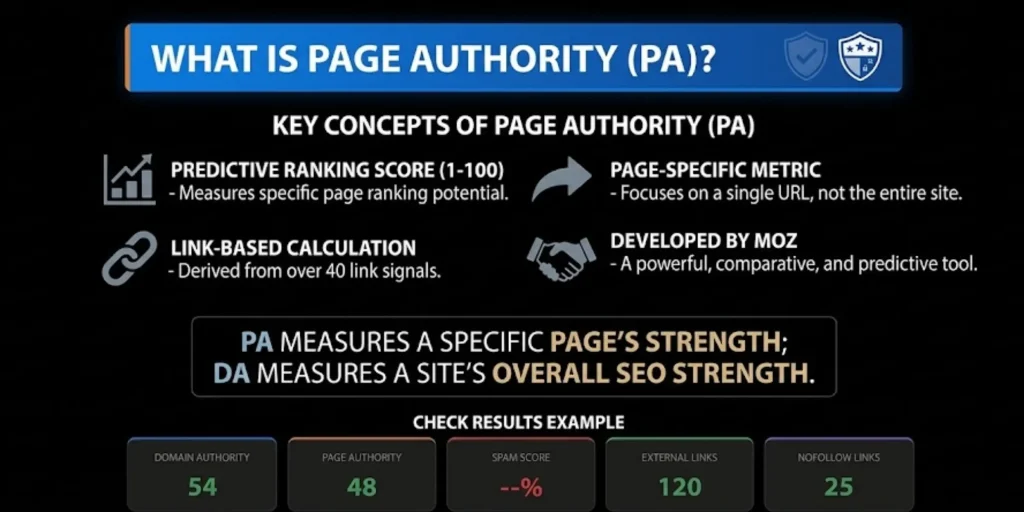
PA can be useful when comparing articles, service pages, product pages, and other URLs that compete for similar search queries. It helps users distinguish between domain wide authority and the relative strength of individual pages.
Why Page Authority Is Useful
A website can contain pages with different backlink profiles, content quality, and search visibility. An important guide may attract links from several relevant websites, while another page on the same domain receives fewer references.
Reviewing PA alongside page relevance and backlink quality can provide additional context for understanding these differences. However, PA alone cannot determine which page will rank higher on Google.
How to Improve Page Authority
Start by making each page useful, accurate, and relevant to its intended audience. Organize information with clear headings, answer the searcher’s main questions, and link to related resources where they add value.
Earn backlinks naturally by publishing helpful resources that other websites want to reference. You should also improve internal linking, repair broken URLs, and ensure that important pages can be crawled and indexed.
What Is Spam Score?
Spam Score is a Moz metric that estimates the likelihood of a website displaying characteristics associated with websites identified as spam. It provides a reference point for website evaluation, especially when reviewing unfamiliar domains or potential backlink sources.
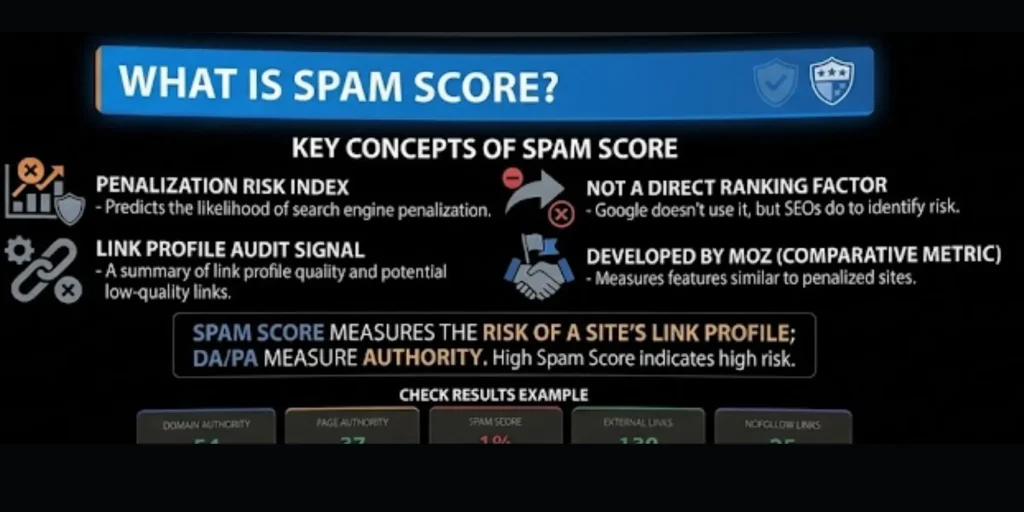
Spam Score is not an official Google penalty indicator. A website should not automatically be considered harmful simply because a third party tool reports an elevated score.
Why You Should Check Spam Score
Spam Score can help users identify websites that deserve a closer review. For example, before pursuing a backlink opportunity, you may want to examine whether the site publishes relevant content, has a legitimate purpose, and links to trustworthy resources.
The score should be considered alongside other indicators, including backlink relevance, content quality, suspicious outbound linking patterns, and the website’s overall purpose.
How to Maintain a Healthy Website Profile
Publish original information, moderate user generated content, and avoid participating in manipulative link schemes. Review backlinks carefully before taking action, because not every irrelevant or low quality link requires removal.
Google already handles many types of spammy links automatically. Disavowing backlinks should be considered only in appropriate situations, such as a substantial pattern of artificial links associated with a manual action or a clear risk of one.
What Are External Links in SEO?
External links are hyperlinks that connect one website to another. For example, when an article on one domain links to an official SEO documentation page on another domain, that hyperlink is an external link for the website containing it.
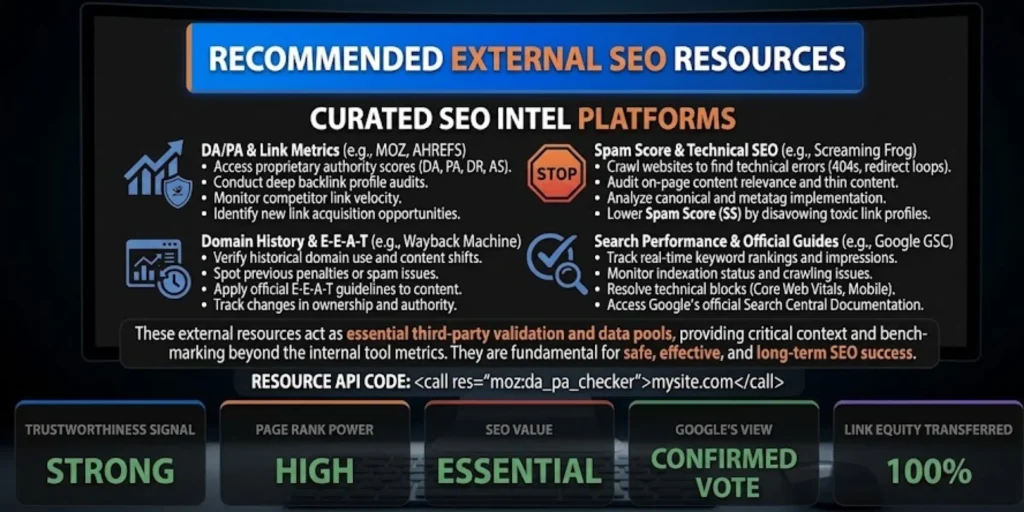
External links can help readers access further information, verify facts, and explore related topics. They are particularly useful when an article refers to official documentation, original research, or trustworthy resources.
Types of External Links
External links can serve different purposes depending on how and why they are created.
- Editorial links reference useful information or supporting resources.
- Research links direct readers to studies, reports, or official documentation.
- Guest post links appear in articles published on other websites.
- Affiliate links direct visitors to products or services.
- Sponsored links identify paid placements or advertising relationships.
- User generated links appear in comments, forums, or other user submitted content.
The purpose and context of an external link are important. A relevant citation can improve the reader’s experience, while excessive links to unrelated or unreliable websites may reduce the usefulness of a page.
Do External Links Improve SEO?
External links can improve the usefulness of an article by directing readers to reliable supporting information. However, adding a link to another website does not automatically improve your own rankings.
Website owners should link to resources that genuinely support their content. Similarly, earning links from other websites can help users discover your pages and may contribute to search engines’ understanding of relationships between resources.
What Are Dofollow Links?
Dofollow is a common SEO term for a standard hyperlink that does not contain a qualifying attribute such as nofollow, sponsored, or ugc.
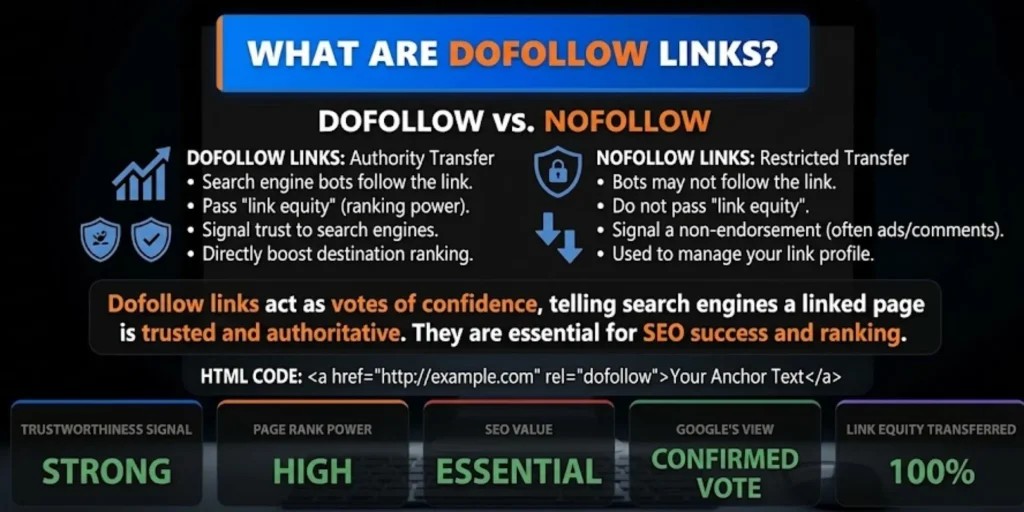
A standard hyperlink can allow search engines to discover the destination and consider the link within their systems. However, a normal link does not guarantee crawling, indexing, or any specific ranking benefit.
Why Dofollow Backlinks Matter
Relevant editorial backlinks can help people discover valuable content. They may also provide search engines with useful signals about the relationship between pages.
For example, a reputable technology website may link to an in depth technical guide because it provides information that supports its article. The link has a legitimate editorial purpose beyond influencing an authority metric.
The quality of a backlink depends on factors such as relevance, context, and the legitimacy of the linking website. A large number of unrelated links is not necessarily better than a smaller number of meaningful editorial references.
How to Earn Quality Dofollow Backlinks
Create resources that other publishers have a genuine reason to reference. Original research, detailed tutorials, practical tools, useful statistics, and comprehensive guides can attract natural editorial links.
You can also contact relevant publishers to explain how a resource may help their readers. Outreach should focus on usefulness and relevance instead of demanding a particular link attribute.
Avoid buying links intended to manipulate rankings or using automated methods to generate large numbers of backlinks.
What Are Nofollow Links?
A nofollow link is a hyperlink marked with the rel="nofollow" attribute. This attribute communicates information about the relationship between the linking page and the destination.
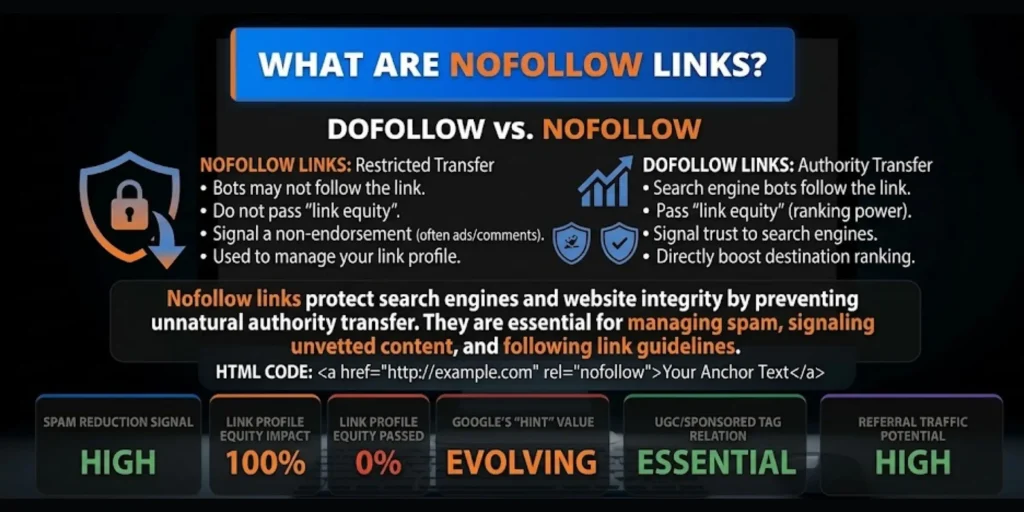
Nofollow links can still bring visitors to a website, increase brand exposure, and help audiences discover useful resources. Their value should not be judged exclusively by whether they pass conventional ranking signals.
Dofollow vs. Nofollow Links
A standard link and a nofollow link differ in their attributes, but both can be useful in appropriate contexts.
A relevant standard editorial link may support discovery and contribute to how search engines understand page relationships. A nofollow link from a well known publication may send qualified referral traffic and introduce your website to a relevant audience.
Website owners should focus on natural, useful links rather than trying to obtain only one type. Google treats nofollow, sponsored, and ugc attributes as hints when considering links.
Sponsored and User Generated Links
Search engines provide specific link attributes to help website owners identify certain relationships.
Sponsored links are used for advertisements, sponsorships, and paid placements. User generated content links may appear in comments, forums, and other community contributions.
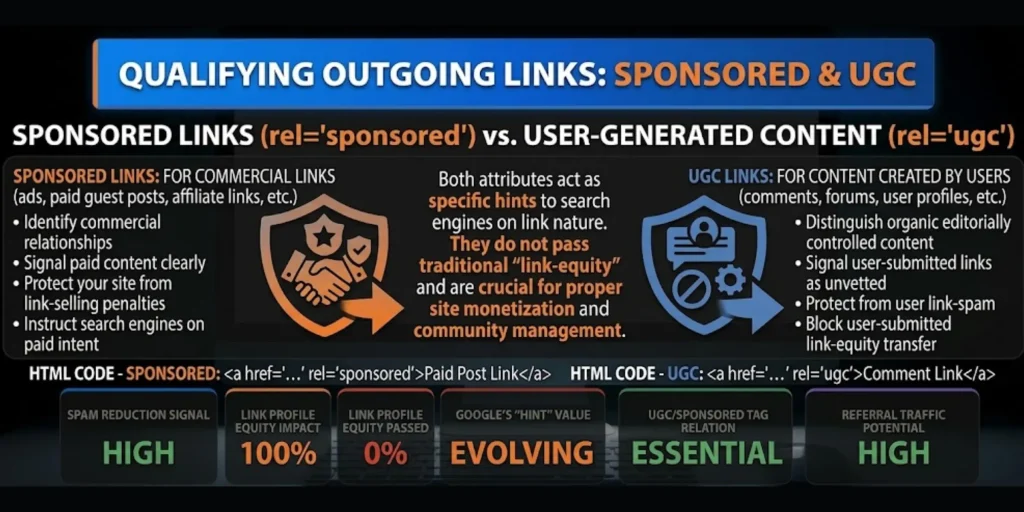
Using appropriate attributes helps communicate the nature of a link. Paid links should not be presented as ordinary editorial endorsements intended to manipulate search rankings.
For website owners, understanding these distinctions is an important part of responsible external linking and backlink management.
What Is a Backlink Profile?
A backlink profile is the collection of links pointing to a domain or a specific webpage. It includes information about referring domains, linking pages, anchor text, destination URLs, and link attributes.
Backlink analysis helps users understand how other websites reference their content. It can also reveal opportunities to create more useful resources and investigate unusual linking patterns.
Important Backlink Metrics
When evaluating backlinks, consider these indicators where reliable data is available:
- Referring domains: the unique domains linking to your website.
- Total backlinks: the number of detected links pointing to your website.
- Anchor text: the clickable text used in a hyperlink.
- Link attributes: whether links use standard, nofollow, sponsored, or UGC attributes.
- Relevance: how closely the linking page relates to the destination.
- Linking page quality: whether the page offers useful information and a legitimate reason to link.
- Destination status: whether the target URL loads correctly and remains accessible.
No single backlink metric can fully explain link quality. A meaningful evaluation considers the wider context and purpose of the links.
How to Analyze a Website with DAPA Checker
A consistent checking process helps users understand available data and avoid relying on a single SEO score.
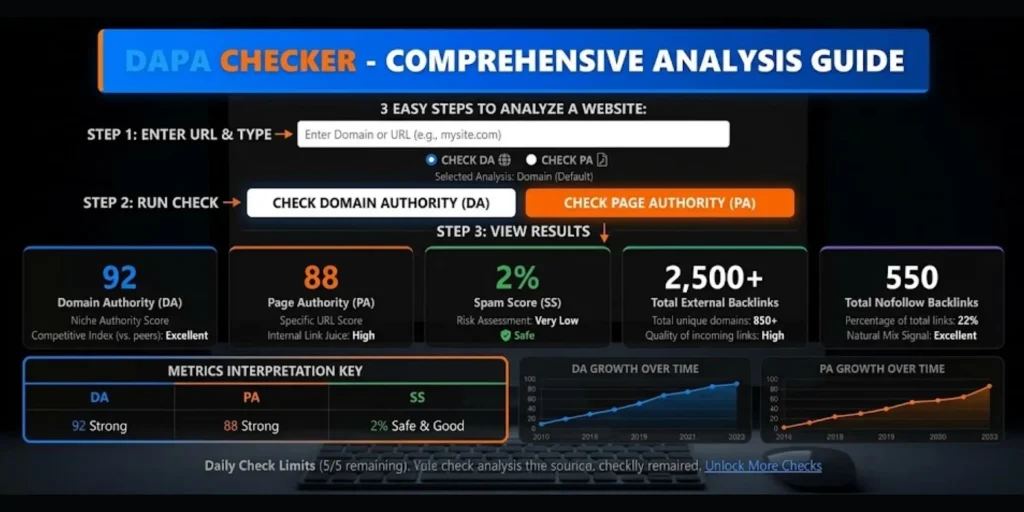
Step 1: Enter a Website URL
Open the DAPA Checker website and enter the domain or webpage URL you want to analyze. Make sure the URL points to the correct website or page.
Step 2: Click Check DA
Use the Check DA button to request Domain Authority information if the feature is available. Record the result when displayed and compare it with relevant competitors.
Step 3: Click Check PA
Enter the specific webpage URL and select Check PA to review its Page Authority result when supported. This can be helpful when comparing important pages on your website or within your niche.
Step 4: Click Check Spam Score
Select Check Spam Score to request available spam related information. Investigate any concerns using additional evidence instead of treating the score as definitive proof of a penalty.
Step 5: Review External Links and Backlinks
If the checker provides backlink information, review the linking domains, anchor text, link attributes, and relevance of the links.
Step 6: Use Your Free Checking Allowance
The free checking option provides up to 5 checks. Prioritize the domains and pages that matter most to your research, and follow the actual limit displayed by the tool.
Step 7: Compare and Plan Improvements
Compare the results with websites targeting similar audiences and keywords. Use the findings to identify content gaps, internal linking opportunities, technical issues, and potential areas for legitimate backlink development.
The metrics available depend on the checker’s actual features and connected data sources.
How to Improve Your Website’s SEO Performance
SEO performance depends on multiple factors, not just authority scores. Website owners should build a balanced strategy that focuses on users, relevant content, technical quality, and legitimate backlinks.
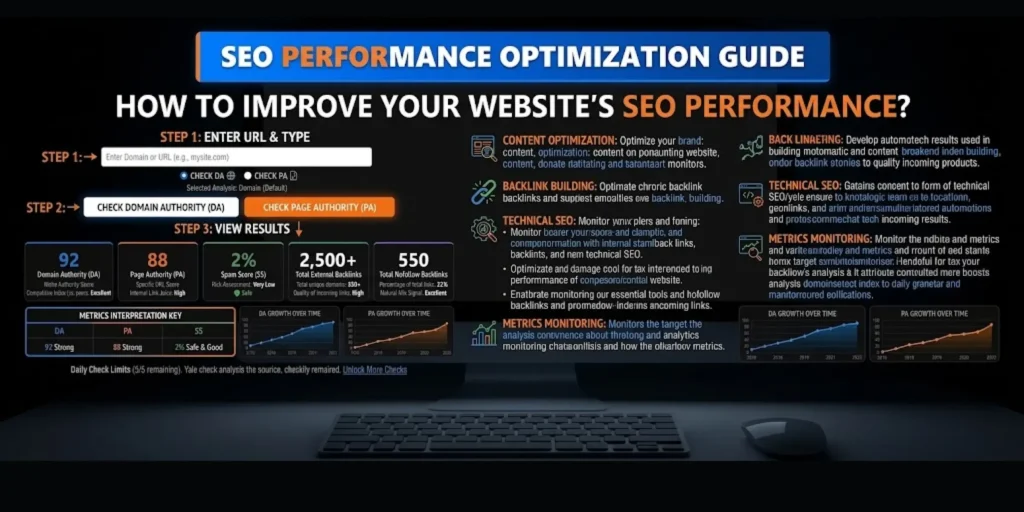
Publish Helpful Content
Create original articles that answer real questions and provide clear explanations. Comprehensive tutorials, practical examples, original research, and useful resources can help attract readers and earn natural references.
Improve Internal Linking
Connect related pages through meaningful internal links. This helps visitors discover additional information and helps search engines find important pages.
Use descriptive anchor text and ensure that links support the user’s journey rather than appearing solely for keyword manipulation.
Earn Relevant Backlinks
Focus on building relationships with publishers in your niche. Create resources that provide real value and use thoughtful outreach to introduce them to relevant audiences.
Avoid automated backlink services and link schemes designed primarily to influence rankings.
Maintain Technical SEO
Review broken links, mobile usability, page loading performance, crawlability, indexing, and duplicate content. Technical improvements help search engines access your website and help visitors use it effectively.
Monitor Progress Regularly
Review important metrics over time rather than expecting instant changes. Third party authority scores may update on their own schedules, and improvements in content or backlinks do not guarantee an immediate score increase.
Common Mistakes When Checking DA, PA, and Spam Score
One common mistake is assuming that DA and PA are official Google ranking factors. These are third party metrics intended for comparative analysis.
Another mistake is focusing only on backlink quantity. The number of links does not reveal their relevance, context, or legitimacy.
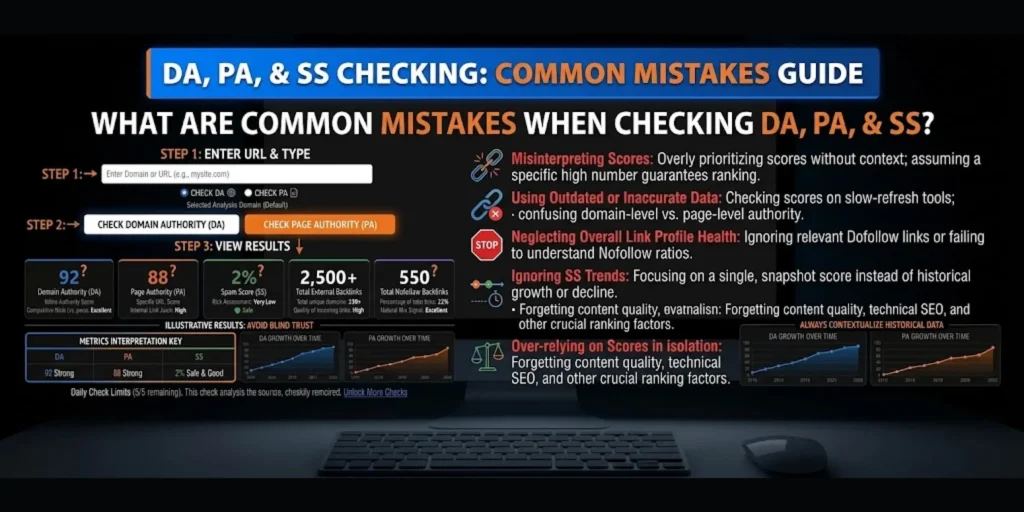
Website owners may also reject every domain with an elevated Spam Score without investigating further. A more reliable assessment combines third party metrics with manual website review and backlink analysis.
Finally, users sometimes expect instant changes after publishing content or earning a backlink. Metric providers use their own data sources and update schedules, so changes may not appear immediately.
Who Can Use DAPA Checker?
DAPA Checker can be useful for different people involved in website management and SEO research.
- Bloggers evaluating their websites and competitors.
- SEO professionals conducting domain and page analysis.
- Digital marketers reviewing potential publishing opportunities.
- Website owners monitoring authority metrics.
- Publishers researching backlink prospects.
- Beginners learning about DA, PA, and Spam Score.
The tool’s usefulness depends on the metrics and data actually supported by the website.
Recommended External SEO Resources
Understanding official documentation can help users make better SEO decisions. These resources explain the authority metrics and linking practices discussed in this article.
- Moz Domain Authority: https://moz.com/learn/seo/domain-authority
- Moz Page Authority: https://moz.com/learn/seo/page-authority
- Moz Spam Score: https://moz.com/learn/seo/spam-score
- Google Search Essentials Spam Policies: https://developers.google.com/search/docs/essentials/spam-policies
- Google Qualify Your Outbound Links: https://developers.google.com/search/docs/crawling-indexing/qualify-outbound-links
- Google Link Best Practices: https://developers.google.com/search/docs/crawling-indexing/links-crawlable
These external resources provide additional explanations of SEO metrics, spam policies, and link attributes. Link to them where they naturally support the relevant sections.
Frequently Asked Questions
Q. What Is DAPA Checker?
DAPA Checker is an SEO analysis resource intended to help users review website authority metrics and related SEO information.
Q. How Many Free Checks Are Available?
The free checking option provides up to 5 checks, subject to the tool’s actual usage rules and implementation.
Q. How Do I Check DA?
Enter your website URL and click the Check DA button if the feature is available.
Q. How Do I Check PA?
Enter the specific webpage URL and click Check PA to request the available Page Authority result.
Q. How Do I Check Spam Score?
Enter the target URL and click Check Spam Score if the checker supports this metric.
Q. What Is a Good DA Score?
There is no universal good score. DA is most useful when comparing similar websites within the same competitive environment.
Q. Does High DA Guarantee Google Rankings?
No. DA is a third party metric, not a direct Google ranking factor. Search visibility depends on many factors, including content relevance and competition.
Q. What Is the Difference Between DA and PA?
DA estimates the relative ranking potential of an entire domain, while PA focuses on an individual webpage.
Q. What Does Spam Score Mean?
Spam Score estimates how closely a website resembles sites identified as spam within Moz’s model. It does not prove that Google has penalized the website.
Q. Are Dofollow Links Better Than Nofollow Links?
Their value depends on the context and purpose. Standard editorial links may contribute to discovery, while nofollow links can still bring visitors and improve brand visibility.
Q. Do External Links Help SEO?
Relevant external links can provide readers with useful supporting resources. They do not automatically improve the rankings of the website containing them.
Q. How Can I Get Quality Backlinks?
Publish useful content, create original research, build relationships with relevant publishers, and earn links that have a genuine editorial purpose.
Q. Should I Remove Every Spammy Backlink?
No. Investigate the evidence first. Google handles many low quality links automatically, and disavowal is an advanced measure for specific circumstances.
Q. Can DAPA Checker Analyze Every Website?
Coverage depends on the tool’s data sources and available functionality. Some domains or pages may not have complete metric information.
Final Thoughts
DAPA Checker provides a starting point for website authority analysis and SEO research. Its DA, PA, and Spam Score checking options can help users compare websites and investigate important metrics, while the free checking allowance provides up to 5 checks for basic analysis.
Understanding external links, dofollow backlinks, nofollow attributes, and backlink profiles can further improve your SEO decision making. Use the checker as a supporting resource, evaluate link quality carefully, and focus on publishing helpful content, improving technical SEO, and earning legitimate editorial backlinks.
Remember that third party authority metrics are estimates, not guarantees of Google rankings. A balanced SEO strategy based on relevance, useful content, technical accessibility, and trustworthy references offers a more reliable foundation for long term website growth.